
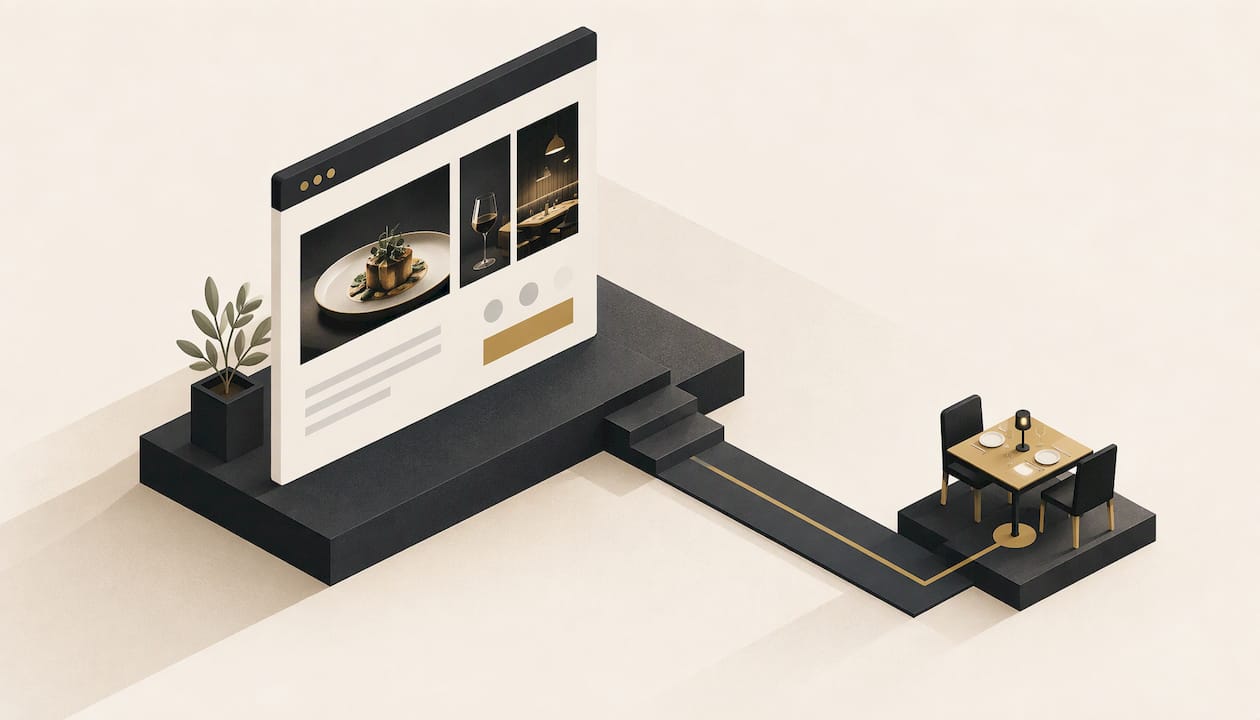
A good restaurant website answers three questions in a few seconds on a phone: what is this place, is it open, and how do I book or order. Everything else, from photography to the story of your chef, supports those answers. We build custom, hand-crafted websites for local businesses, and a restaurant site from Webline Studio starts at a one-off $199 with delivery in five business days.
TL;DR
- Put your name, cuisine, address, hours, phone number and booking or order button where a phone user sees them without scrolling.
- Build the menu as real text on the page, not a PDF or a photo of a printed menu, and keep prices and allergen notes current.
- Most diners arrive on a phone, so design for thumbs first: large buttons, short pages, fast loading.
- A custom site built around your brand and a simple care plan keeps hours, menus and specials accurate without you touching code.
- Our builds start at $199 one-off, care plans from $9 per month, no lock-in contracts.
Table of Contents
- What a restaurant website is actually for
- The essentials every restaurant homepage needs
- Menu design: build it as a page, not a PDF
- Booking and online ordering that people actually finish
- Designing for phones first
- Showing your brand without slowing the site down
- Being found: local search basics
- How a restaurant website gets built
- What a restaurant website costs
- Keeping the site accurate and adaptable
- Get a restaurant site built around your venue
- A pre-launch checklist for restaurant owners
- FAQ
- Sources
What a restaurant website is actually for
A restaurant website has one job: turn someone who is hungry and searching into someone who is walking through your door, booking a table or placing an order. Google listings, Instagram and delivery apps all compete for that moment. Your own site is the one place you control completely: the wording, the photography, the prices and the booking path.
That is why a restaurant site is not a brochure. A brochure site can be vague about hours and say "contact us for details". A restaurant site that does this loses the customer to the next result. If you want the wider argument for why a local business needs its own site at all, we cover it in why your local business needs a website in 2026.
The essentials every restaurant homepage needs
The homepage carries most of the weight. A UK hospitality guide from NCASS says a restaurant homepage should clearly show the restaurant name and concept, the address with a map link, opening hours, a phone number and a reservation or booking button, all visible and working on mobile without much scrolling. It also recommends keeping this information pinned in the header or footer so it follows the visitor to every page.
In practice, that means the top of your homepage should contain:
- Who you are in one line. "Modern Vietnamese in Fitzroy" beats "Welcome to our website".
- A clear action. One main button: Book a table, Order online or See the menu, depending on how you earn most of your revenue.
- Open or closed, at a glance. Today's hours, including public holidays and seasonal changes.
- A tappable address and phone number. On a phone, the address should open the map app and the number should start a call.
- One strong photograph. Real food and real rooms from your venue, compressed so the page still loads quickly.
A launch checklist from OpenTable adds a few items worth having: an About page, an email sign-up form, social media links, a connected Google Business Profile and a completed mobile test before launch. Details about private dining, outdoor seating, happy hour, takeaway and delivery belong on the site too, because guests often search for exactly those features.
Menu design: build it as a page, not a PDF
The menu is the most visited page on most restaurant sites, and it is where many of them fail. The common mistake is uploading the printed menu as a PDF or a photo. On a phone it means pinching, zooming and waiting for a download. It also cannot be searched, and it is invisible to people who use screen readers. An accessibility guide for restaurant sites notes that a menu uploaded as a scanned image cannot be read by a screen reader, and recommends putting the menu on the page as text with headings for each section.
GoFoodService's restaurant website guide makes the same point from a search and conversion angle: present the menu as searchable text rather than a downloadable file.
A menu page that works looks like this:
- Separate menus with headings. Lunch, dinner, drinks, kids and set menus each get their own heading so people can jump straight to the one they want.
- Show the price on every dish. Hiding prices makes people leave, not ring.
- Write the dish name, a one-line description and the price as separate, clean pieces. Do not set dish names in an image.
- Mark allergens in words next to each dish. Tiny unlabelled icons are easy to misread. In Australia, venues have obligations around allergen information, so check the current requirements with your local council or Food Standards Australia New Zealand when you set up your menu wording.
- Keep a simple way to update it. A menu that changes with the season should be easy to change. If editing it takes a developer and a week, the website will drift out of date.
If you want a dedicated menu page that also works as a landing page for searches like "restaurant menu near me", the text-on-the-page approach is what lets Google read your dishes and suburb together.
Booking and online ordering that people actually finish
Every extra step between "I want to eat there" and "booked" loses customers. A few principles hold across venue types:
- Make the booking or order button one of the most visible things on the page. GoFoodService suggests the order button should sit among the most prominent elements on the site.
- Embed the booking form on your own site where you can, rather than sending people to a separate page that looks different and feels like leaving.
- Test it on a phone. Date and time pickers, party-size selectors and quantity buttons are where mobile forms break most often.
- Offer a phone number as a fallback. Some diners, particularly for group bookings, would rather speak to someone.
Choose the booking or ordering tool that suits your venue, then have the site designed around it, so the button, colours and wording match your brand instead of looking bolted on.
Designing for phones first
People search for somewhere to eat while they are out, commuting or deciding with friends. That makes the phone the primary screen, and the desktop version the bonus. Practical rules:
- Buttons big enough for a thumb. The Web Content Accessibility Guidelines (WCAG) are the international standard for accessible websites. The accessibility guide above reports that version 2.2 sets a minimum tap target of 24 by 24 CSS pixels at level AA, so menu links, date pickers and call buttons should never be tiny or crammed together.
- Short, scannable sections. One idea per block, with the key action repeated down the page.
- Fast loading. Large, uncompressed photos are the usual culprit. Compress them before upload.
- Readable text. Strong contrast between text and background, especially over food photography.
We go further into this in why mobile-friendly design matters more than ever.
Showing your brand without slowing the site down
Two cafés can serve similar flat whites and need completely different websites. A laneway wine bar, a family-run Italian place and a fast-casual burger shop each have a different voice, and the site should sound like the room feels. Colour, typography, photography style and the way you write about your food all carry that identity.
Template sites often make restaurants look alike: same hero image, same layout, same stock phrases. A site built from scratch lets the layout follow your priorities. A venue that lives on bookings can lead with the booking form. A takeaway shop can lead with its order button and a short menu. A catering business can lead with enquiry forms and past events.
What gets in the way is excess. Autoplay video, heavy animations and long intro screens look impressive in a design pitch and cost you bookings when they stall on a phone with patchy reception. Beautiful and quick are compatible, but only when someone designs for both on purpose.

Being found: local search basics
A well-built site helps, but people also need to find it. For restaurants, local search does most of the work:
- Connect your Google Business Profile and keep its hours and photos consistent with your website.
- Use your suburb and cuisine naturally in headings and page text, for example "Thai restaurant in Newtown".
- Give the menu its own page with real text, so dishes can show up in searches.
- Keep your name, address and phone number identical everywhere they appear.
Our simple SEO tips for local businesses covers the fundamentals in plain language.
How a restaurant website gets built
A clear process keeps a site project from dragging on, and for a restaurant owner who is already working long shifts, it needs to ask for as little of your time as possible. A typical build runs like this:
- Brief. You share your concept, your best photos, your menu, your hours and what action you most want visitors to take.
- Structure and copy. Pages are planned: home, menu, about, contact and booking or ordering, with the wording written to suit your brand.
- Design. The layout and visual style are created around your brand, starting with the mobile view.
- Build. The pages, menu, forms and booking or ordering links are put together and tested.
- Launch checks. Hours, menu prices, allergen notes, phone and map links, and every button are checked on a real phone before going live.
- After launch. Menus change, hours shift for holidays and specials come and go, so the site needs someone looking after it.
At Webline Studio the build is hand-crafted from scratch, includes copywriting, mobile-friendly design and SEO setup, and is delivered in five business days. You can see how that works on our how it works page.
What a restaurant website costs
Cost depends on how much custom design, content and functionality you need, how quickly you need it, and what ongoing care looks like. The pricing we publish is:
| Item | Price | Type |
|---|---|---|
| Base Build | $199 | One-off |
| Upgraded Build | $399 | One-off |
| Premium Build | $449 | One-off |
| Custom Logo | $300 | One-off |
| Base Care | $9 | Per month |
| Upgraded Care | $24 | Per month |
| Premium Care | $29 | Per month |
Prices were read from our pricing page in November 2026, so check it for the current details of each tier.
When comparing quotes from any provider, look past the headline build price and ask:
- Is the site built from scratch or adapted from a template?
- Are copywriting, mobile design and SEO setup included?
- Who hosts the site, and what does hosting cost each month?
- Who updates the menu and hours, and how fast?
- Are you locked into a contract?
Ongoing costs matter more for restaurants than for most businesses, because the content changes constantly. A site that cannot be updated cheaply becomes a site with last season's menu on it.
Keeping the site accurate and adaptable
A restaurant can change more in a year than many businesses do in five: a new chef, a new menu, a second venue, a delivery launch, a function room, Christmas trading hours. The site should flex with those changes instead of needing a rebuild.
Three habits keep it healthy:
- Set a menu review rhythm. Review the menu page at every menu change, and the hours before every public holiday period.
- Choose a care plan that matches how often you change things. A venue with a stable menu needs less than one that changes weekly.
- Avoid long contracts. Your needs will change, and your website provider should be able to change with you.
Our care plans cover hosting, performance monitoring, content updates, error fixes and security updates, and there are no lock-in contracts, so you can move between plans as the business grows.
Our view: a restaurant site should work as hard as the kitchen
We build websites for local businesses, and restaurants are some of the clearest cases of what a website should do. Nobody wants to admire a restaurant site. They want to know whether you are open, what's on the menu and how to get a table, and they want to know in the time it takes to stand at a crossing.
That is why we hand-build every site from scratch rather than starting from a template. Your layout should follow what your venue needs: booking first, ordering first or menu first. The wording should sound like you, and the site should be finished in days, not months. Our five-business-day delivery exists because a venue that needs a site usually needs it now.
We also believe a launch is where the work starts. Menus change, hours change, and a site that is not looked after loses trust fast. That is why we offer simple monthly care plans and no lock-in contracts. If you grow, you can change plan. If your needs change, you are not stuck.
We back our work with a satisfaction guarantee, because we would rather earn your business on the result than on the paperwork.
Tyler
Get a restaurant site built around your venue
If you want a site that shows your menu clearly, makes booking easy and keeps working after launch, we can build it. Our builds start at $199 one-off, with care plans from $9 per month for hosting and updates, and the first version of your site is delivered in five business days. See the options on our pricing page, or get started and tell us about your venue.

A pre-launch checklist for restaurant owners
Before any restaurant site goes live, check each of these on your own phone, not just a computer:
- Name, cuisine and suburb are clear in the first screen.
- The booking or order button is visible without scrolling and works.
- Hours are correct, including upcoming public holidays.
- The address opens a map and the phone number starts a call.
- The menu is text on the page, with prices and allergen notes.
- Photos are your own, sharp and compressed.
- Your Google Business Profile matches the website.
- Contact details appear on every page.
- You know who will update the menu and hours, and how long it takes.
If all nine tick, you have a site that does its job.
FAQ
How many pages does a restaurant website need?
Most venues do well with five: home, menu, about, contact and booking or ordering. Add a page for functions, catering or private dining if you offer them. Fewer, clearer pages beat a large site that is hard to keep current.
Should my menu be a PDF?
No. Put the menu on the page as text with headings, prices and allergen notes. It loads faster on a phone, can be found by search engines and can be read by screen readers. You can still offer a printable version as an extra.
How long does it take to build a restaurant website?
It depends on how quickly you supply your menu, photos and details. Our builds are delivered in five business days, and having your menu, hours and best photos ready is the easiest way to keep to that.
What does it cost to keep a restaurant website running?
Ongoing costs are mainly hosting and updates. Our care plans are $9, $24 or $29 per month depending on the plan, with no lock-in contracts. Check the pricing page for what each plan covers.
Sources
- What Every Restaurant Website Must Include, NCASS
- How to Build a Restaurant Website: Complete Guide, OpenTable
- Restaurant Website Accessibility: Menu, Booking & Ordering
- Restaurant Website Guide, GoFoodService