
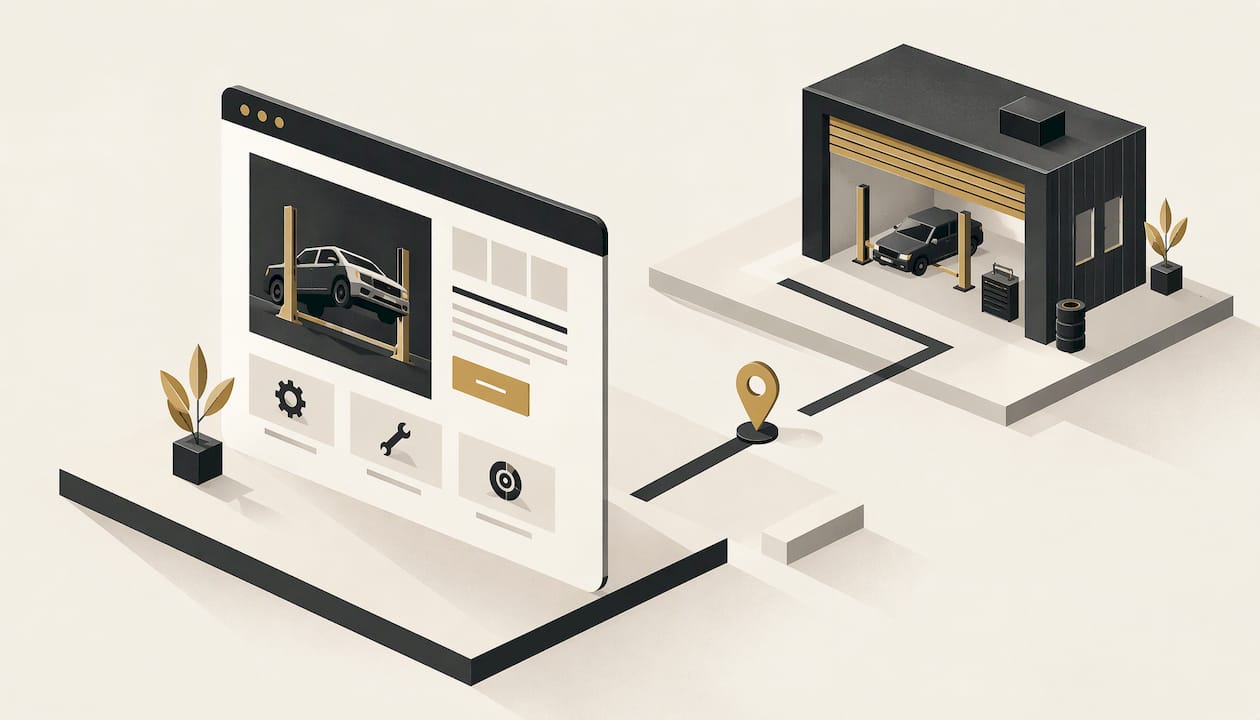
A good mechanic website does three jobs: it shows people you are nearby, it proves you are trustworthy, and it makes booking or calling the easiest thing on the screen. Everything else is decoration. At Webline Studio we hand-build custom websites for local businesses from scratch, with a five business day turnaround, so a workshop can have a site that does those three jobs without a long project. Our Base Build starts at $199 one-off. This guide covers what to put on the site, how to lay it out, and how to keep it working once it is live.
TL;DR
- Lead with your suburb, your services and one clear action: call or book. Put these before anything else on the homepage.
- Most workshop customers search on a phone, often with a problem car. Design for mobile first, with a tap-to-call button and short text.
- Build trust with real photos of your workshop and team, genuine reviews, a visible address and opening hours.
- A site is not finished at launch. Hosting, security updates, content changes and error fixes keep it accurate and online.
- A custom build from Webline Studio costs from $199 one-off, with care plans from $9 per month and no lock-in contracts.
Table of Contents
- What a mechanic website actually has to do
- The pages every workshop site needs
- Design for the phone in someone's hand
- Building trust before the customer walks in
- Helping local customers find you
- How a mechanic website gets planned and built
- Perspective
- Keeping the site accurate and secure
- What a mechanic website costs with us
- Get your workshop site built
- FAQ
- Sources
What a mechanic website actually has to do
The people who land on a workshop site are rarely browsing. Their car is making a noise, a warning light is on, or the logbook service is due. They want to know three things fast: do you fix my kind of problem, are you close, and how do I get a time.
The Australian Government's business advice puts it plainly: decide the website's goals first and tie them to your business and marketing plans and your target customers. For a workshop, the goals are usually simple. More phone calls, more online booking requests, and more of the work you actually want, whether that is logbook servicing, brakes, air conditioning, diesel or pre-purchase inspections.
Write those goals down before anyone opens a design tool. They decide which pages exist, what sits at the top of each, and what the buttons say. A site built around "look at our brand" tends to bury the phone number. A site built around "get this customer to book" puts the number in the header on every page.
The pages every workshop site needs
You do not need thirty pages. You need the right handful, each answering one question. The business.gov.au guidance suggests a practical structure of an About page, contact details or a form, service descriptions, customer reviews or testimonials, FAQs and terms and conditions. For a mechanic, that translates into the following.
Home
State what you do and where, in one line a stranger understands: for example, the type of workshop, your suburb and the brands or work you cover. Add one main call to action, such as "Call now" or "Book a service", and a short list of your core services. Capricorn's workshop guidance recommends a clear homepage call to action and prominent contact details, which matches how people behave: they decide in seconds.
Services
Give each major service its own section, or its own page if you do a lot of it. Say what is included, what kinds of vehicles you work on, and what the customer should expect. "Brakes" is a heading. "Brake pad and rotor replacement, brake fluid changes and brake inspections for passenger cars and 4WDs" is information. A customer searching for a specific job finds a specific page, and a detailed page also gives search engines more to match.
If you want separate pages for services, think about the order they appear in the menu. Put the work that earns the most, or the work you want more of, first.
About
People hand over their car keys to someone they have never met. An About page shows who they are dealing with: the owner, the mechanics, how long you have been in the area, and what you care about. Capricorn's guidance points to real workshop photos and authentic business stories as the way customers judge who they are dealing with. A genuine photo of your team in front of the workshop beats any stock image of a smiling stranger holding a spanner.

Contact and booking
This is the page that turns visits into revenue, so it should be simple. List your phone number, address, opening hours, an embedded map and a short enquiry or booking form. Capricorn's guide recommends multiple contact options and appointment booking so that customers can choose the route that suits them. Some people will not phone during work hours but will happily send a form at 9pm.
Keep the form short. Name, phone number, car make and model, and a message box is plenty. Every extra field loses a few people.
Reviews, FAQs and terms
A reviews section, or a few testimonials with first names and suburbs, gives hesitant customers a reason to pick up the phone. A short FAQ saves you repeating the same answers: do you do logbook services, do you offer a courtesy car, how long does a service take, what payment methods do you accept. Terms and conditions cover warranty on work and payment terms, so there is no argument later.
Design for the phone in someone's hand
A large share of workshop searches happen on a mobile, often by someone standing next to a car that will not start. The site has to work there first. The business.gov.au advice is to make the site easy to use on mobile as well as desktop, reflect your brand and avoid distracting gimmicks. It also recommends putting the most important information first and using simple words, short sentences and clear subheadings.
For a workshop, that becomes a short checklist:
- A tap-to-call button in the header and again at the bottom of the screen, so one touch dials the workshop.
- Opening hours and address near the top, not buried in the footer.
- Big, readable text and buttons large enough for a thumb, including with greasy hands or in poor light.
- Fast loading on mobile data. Heavy sliders, autoplay video and giant photo files push people away before they see your number.
- A short menu with five or six items, not a long list of dropdowns.
We go further into why this matters in why mobile-friendly design matters more than ever. Every site we build is mobile-friendly from the start, not adjusted afterwards.
Building trust before the customer walks in
Car repair is a trust purchase. Customers worry about being overcharged, being sold work they do not need, or the job taking longer than promised. Your site can answer those worries before they are voiced.
- Show the real workshop. Photos of the bays, the equipment and the people. Capricorn's guidance treats real photos and testimonials as what helps customers assess who they are dealing with.
- Put reviews where decisions are made. A couple of genuine testimonials next to the booking button do more than a full page of them at the back of the site.
- Be specific about services. Detailed descriptions show you know the work.
- State how you work. If you give a quote before starting, explain that. If you provide a warranty on repairs, say so and say how long.
- Use plain language. Customers who do not know a CV joint from a camshaft should still understand what you are offering.
Webline Studio also writes the copy as part of the build, so the words on each page describe your workshop rather than sounding like a generic template.
Helping local customers find you
Most of your customers live or work within a short drive. Your site should say clearly which suburbs and areas you serve. Capricorn's guide emphasises a clear workshop address, opening hours, an embedded map and straightforward phone, enquiry or booking options, which are the same details a search engine and a customer both need.
A few practical habits help:
- Use the same business name, address and phone number everywhere, on the site and on your online listings.
- Mention your suburb and nearby areas naturally in page headings and text, such as "logbook servicing in [your suburb]".
- Give each major service its own page, so a search for "brake repairs" has a page to land on.
- Keep reviews coming in and show them on the site.
For a wider look at search for trades, our simple SEO tips for local businesses walk through the basics, and local SEO for trades is a further step once the site is live. Our builds include SEO setup, so the foundations are in place from day one.
How a mechanic website gets planned and built
Business.gov.au describes the process as: set goals, map a sitemap around what visitors need to do, write the content for each page, choose a CMS and hosting, build and test, then launch and maintain. Here is how that looks for a workshop, and where having a studio do the work changes the experience.

Step 1: Set the goals
Decide what the site is for. Phone calls? Online booking requests? Fleet customers? Pick one main goal and one or two secondary ones. This takes an hour with a notepad, and it saves weeks of rework.
Step 2: Map the pages
List the pages from the section above and note the one action you want on each. Resist adding pages that nobody will visit. A tight five to eight page site that is accurate beats a sprawling one that is out of date.
Step 3: Write the content
This is where most workshop owners stall. Writing about your own business is hard when you are also running a workshop. Our builds include copywriting, so the service descriptions, About page and calls to action are written for you and reflect your brand.
Step 4: Choose the platform and hosting
Business.gov.au explains the choice: a cloud-based CMS usually bundles hosting and templates, while a self-hosted CMS needs separate hosting, may need extra applications and is more flexible but takes more work to set up and maintain. It adds that with a self-hosted CMS you can pay a web designer for a custom design. That is the route we take: every site we build is made from scratch for your brand and goals, not from a template, and hosting is available through our care plans, so you do not have to manage servers. If you want to understand the hosting side, see our guide to website hosting for small businesses in Australia.
Step 5: Build and test
Before launch, every link, form and phone button should be tested on a real phone and a desktop. Business.gov.au specifically advises testing navigation, links and content before launch. A broken booking form costs you real jobs, so test it by sending an enquiry to yourself.
Step 6: Launch and keep going
Our process takes five business days from start to launch, and you can see the steps on our How We Work page. After launch the work moves to keeping the site accurate and secure, which is the next section.
Perspective
Workshop owners tell us the same thing: they do not have time to run a website, and they have been burned by one that looked fine and brought in nothing. That is why we build every site by hand, from scratch, around what your workshop actually does and who you want through the door.
We think a mechanic's site should be fast, honest and easy to act on. A visitor should know within seconds what you fix, where you are and how to book. Our small in-house team writes the copy, designs for mobile first and sets up the SEO basics, so it is ready to work the day it launches.
We also think the site should not lock you in. We offer a satisfaction guarantee and no lock-in contracts, and our care plans start at $9 per month, so you can keep the site hosted, secure and up to date without paying for more than you need. We have built for mechanical businesses before, including Barralong RD Mechanical, and the principle is always the same: make it easy for a local customer to choose you.
Tyler
Keeping the site accurate and secure
A workshop site goes stale in small ways: the opening hours change over Christmas, a service is added, a phone number is updated, a plugin needs a patch. Each one chips at trust. Business.gov.au advises you to keep information about your business, products and services up to date. For a self-hosted site it adds applying security patches, using a strong password and two-factor authentication, asking customers for feedback and using analytics to guide improvements.
In practice, a maintenance routine for a workshop looks like this:
- Monthly: check the phone number, hours, address and booking form still work.
- Whenever things change: update services, prices, team and holiday hours.
- Ongoing: security updates, backups and error fixes.
- Every few months: look at which pages people visit and which they leave, then improve those.
If you would rather be under the bonnet than in a dashboard, our care plans take this on: hosting, performance monitoring, content updates, error fixes and security updates. Once you are established, you can also look at AI search monitoring to see how your business shows up as search habits change. And if you want to know what an optimisation service covers, we explain it in what a website optimisation service covers.
What a mechanic website costs with us
Our published prices, as listed on our pricing page, are:
| Option | Price | Type |
|---|---|---|
| Base Build | $199 | One-off |
| Upgraded Build | $399 | One-off |
| Premium Build | $449 | One-off |
| Custom Logo | $300 | One-off |
| Base Care | $9 | Per month |
| Upgraded Care | $24 | Per month |
| Premium Care | $29 | Per month |
The builds are one-off fees. The care plans are optional monthly subscriptions for hosting and ongoing support, and there are no lock-in contracts. If you are weighing up budgets, our guide on how much a small business website should cost explains what drives price. If you are in a related trade, our tradie website design guide covers many of the same principles.
Get your workshop site built
If you are ready for a site that is built by hand around your workshop, we can have it live in five business days. You get hand-crafted layouts, copywriting, mobile-friendly design, SEO setup and a satisfaction guarantee. If your workshop also needs a logo, we offer a Custom Logo at $300 one-off.

See the options on our pricing page or start your project through Get Started.
FAQ
What should a mechanic website include?
At minimum: a homepage with a clear call to action, service descriptions, an About page, contact details with address, hours and a map, a way to book or enquire, and customer reviews. FAQs and terms and conditions round it out, as business.gov.au suggests.
Is auto repair website design different from mechanic website design?
The two terms describe the same thing in Australia. Whether you call yourself a mechanic, a workshop or an auto repair business, the site needs the same things: clear services, easy contact, trust signals and a mobile-friendly layout.
How long does it take to build a mechanic website?
Our builds are delivered in five business days. The time you spend is mostly on gathering photos, listing services and confirming details such as opening hours, which makes the process quicker when you have those ready.
Do I need ongoing care after the site goes live?
A website needs hosting, security updates and regular content changes to stay accurate and working. Our care plans start at $9 per month and cover hosting, monitoring, updates and fixes, with no lock-in contracts.
Sources
- Set up a business website, business.gov.au
- 8 elements you must include on your workshop's website, Capricorn
- SEO for trade contractors
- AI search monitoring for local businesses